TikTok Shadowban: How to Tell It From a Normal Dip in 2026
TikTok never says shadowban, but its own rules describe one: videos and whole accounts made ineligible for the For You feed and harder to find. TikTok says it tells you when that happens. If your inbox, Account check and video analytics are all clean, you are looking at a normal dip.
 Francesco Vagliante15 min read
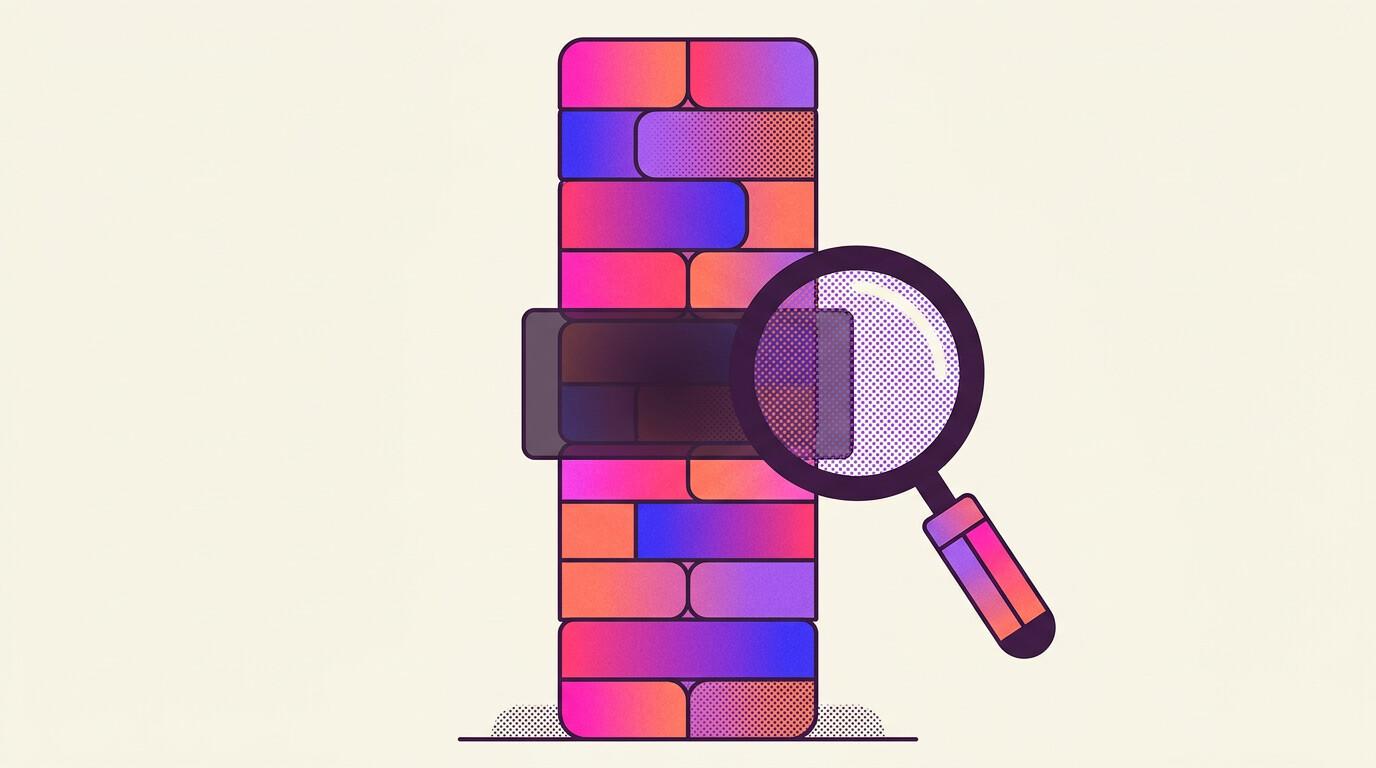
A TikTok shadowban is what creators call it when TikTok quietly stops recommending their videos on the For You feed. TikTok never uses the word, but its Community Guidelines, in the version in force since September 24, 2026, say it can make an account "and its content ineligible for the FYF and harder to find" (TikTok Community Guidelines, checked November 2026). The part most guides get wrong is that TikTok says it tells you. If your inbox, Account check and video analytics show nothing, you are not shadowbanned. You are having a normal dip, and the fix is in the videos.
This page covers what TikTok actually admits to, the four places where it tells you, how to read your own numbers to tell a restriction from a slump, and what to do in each case.
Key Takeaways
- The restriction is real and documented. Since April 2024 TikTok can make an entire account temporarily ineligible for the For You feed, harder to find in search, and it promised to notify creators when it does.
- Four places show it: Account Updates and Account Status in your inbox, Account check in TikTok Studio (your account plus your last 30 posts), and a warning bar on a video's Performance tab.
- A restricted video loses its For You traffic but can still be found through search and your profile. A video that simply flopped still gets For You traffic, just less of it.
- Compare new videos with the median of your recent ones, never your average or your best.
- TikTok publishes no duration for a restriction. Strikes expire after 90 days. TikTok encourages you to appeal any decision you think is wrong.
Is a TikTok shadowban real?
Yes, under another name. The old complaint was that nobody could prove it. In a 2022 report, the Center for Democracy and Technology said its representative survey of over 1,000 US social media users found nearly one in ten believed they had been shadowbanned, and that the users it interviewed who believed so "had no way to know for sure whether their content was being surreptitiously moderated" (CDT, 2022).
TikTok's answer, over three announcements, has been to name the thing and promise to show it:
- February 2023. TikTok launched an Account status page "where creators can easily view the standing of their account" and started testing a feature that tells creators which of their videos were marked ineligible for the For You feed, why, and how to appeal (TikTok Newsroom, 2023).
- April 2024. TikTok introduced "a policy to make an entire account temporarily ineligible for recommendation in the For You feed if a creator repeatedly posts content that goes against our For You feed standards. Their account and content will be harder to find in search." The next sentence matters most: "We will notify creators when their accounts have been restricted in this way" (TikTok Newsroom, 2024).
- September 2026. The current Community Guidelines, released August 25 and effective September 24, 2026, go further: "Sometimes, accounts that don't break the rules still post a lot of content that's ineligible for the FYF. In those cases, we may make the account and its content ineligible for the FYF and harder to find" (TikTok Community Guidelines, checked November 2026).
Read that last one twice. You can lose For You distribution without breaking a single rule, just by posting a lot of content that sits below the For You bar. That is the closest thing to a shadowban in TikTok's own words. What TikTok does not publish is how much "a lot" is, or how long "temporarily" lasts.
Where does TikTok tell you your reach is restricted?
In four places, all behind your own login. These are from TikTok's Creator Academy guides "Moderation and Appeals" and "Troubleshooting issues with Account check", checked November 2026:
| Where | What it shows | How to get there |
|---|---|---|
| Account Updates | Each consequence as it happens | Inbox, then Account Updates |
| Account Status | Your full record | Inbox, then Account Status |
| Account check | Your account and your last 30 posts, scanned in one tap | Profile, menu (☰), TikTok Studio, More tools, Account check |
| Video analytics | A warning bar at the top of the Performance tab when a video isn't eligible for the For You feed | Open the video's analytics |
Account check is the one to run first. TikTok says it scans "your account and your last 30 posts" for problems with login, posts, comments, profile and direct messages, and that this "includes restrictions from logging in, posting, commenting, editing your profile, or sending messages; posts not eligible for the feed; and posts receiving a violation." Each item shows a green check mark when it is clean and a red exclamation point when something comes up (TikTok Creator Academy, checked November 2026).
The Community Guidelines confirm the analytics route: creators can check TikTok's analytics "to see how their videos are performing, including if there were any made ineligible for recommendation" (TikTok Community Guidelines, checked November 2026).
There is also a fifth tool, if you have it. In July 2025 TikTok began testing Content Check Lite in TikTok Studio on desktop, which checks an uploaded video for For You eligibility and flags issues before you post. TikTok described the testers as a "small group" of creators (Engadget, 2025). If it shows up in your Studio, use it before anything risky goes live.
Shadowban or normal dip: what do your numbers say?
Start from TikTok's own warning. Its Creator Academy guide on recommendations says that "if one of your videos isn't getting many views, it doesn't necessarily mean it wasn't recommended for the For You feed" (TikTok Creator Academy, checked November 2026). Most drops are the algorithm doing its job: it showed the video to people and they swiped.
Two checks in your own analytics separate the cases.
1. Where did the views come from?
TikTok's analytics split views by Traffic source: the For You feed, the Following feed, sound pages, profile pages, search and direct messages, with the rest grouped as "Other" (TikTok Creator Academy, checked November 2026). If you have never opened it, how to check TikTok analytics shows where it lives.
TikTok says that a video kept off the For You feed can still be found "through search or by going to your account" (TikTok Creator Academy, checked November 2026). So a restricted video has a recognisable shape: For You traffic close to nothing, while your followers, your profile visitors and search keep delivering a trickle. A video that simply underperformed looks different. For You is still a large slice of its views, there are just fewer of them, because TikTok tested it with strangers and they did not stay.
2. Compare with your median, not your average
One viral video ruins an average for months. Say 14 of your last 15 videos did between 800 and 3,000 views, and one hit 90,000. Your average is about 7,600 views. Your median, the middle video, is 1,600. A new video with 1,200 views is 84% below your average, which feels like a ban, and 25% below your median, which is a slightly weak Tuesday. Always judge against the median.
| What you see | Points to a restriction | Points to a normal dip |
|---|---|---|
| Inbox, Account check, Performance tab | A notice, a red exclamation point or a warning bar | All clean |
| For You share of views | Drops to almost nothing on several videos | Roughly the usual share, smaller total |
| How many videos | Several in a row, starting on a clear date | One or two, mixed in with normal ones |
| Search for your username from another account | Harder to find, which TikTok says is part of an account restriction | Shows up as usual |
My own rule, not TikTok's: one weak video means nothing. Three videos in a row under half your median, with the For You share collapsing, means open the four places above today. If they are all clean, stop looking for a ban and start looking at the videos.
There is a third possibility people forget: TikTok itself. In late January 2026, TikTok's new US joint venture blamed a data center power outage for bugs, slow loading and timed-out requests in the US, "including when posting new content." TikTok warned that creators might see zero views or likes on their posts and earnings that looked missing, and said "Your actual data and engagement are safe" (TechCrunch, 2026). If everyone in your niche is complaining on the same day, it is not your account.
What gets a TikTok video or account restricted?
The full list lives in the "FYF ineligible" parts of each section of TikTok's Community Guidelines, which TikTok sums up as content "that may not be suitable for a broad audience" (TikTok Community Guidelines, checked November 2026). For a normal creator, these are the lines that actually bite, from the version effective September 24, 2026 (TikTok Community Guidelines, checked November 2026):
- Reposted material. "Content is also ineligible for the FYF if it includes unoriginal or reused material without anything new." Clip accounts, compilations and stitched reposts with nothing added are the first suspects.
- Engagement bait. "Content that tries to manipulate people into giving gifts or inflating likes or follows isn't eligible for the FYF."
- Fake engagement. TikTok bans "the trade of services that artificially boost engagement or trick the recommendation system" and says "We strictly prohibit automation tools, scripts, or other tricks designed to bypass our systems." If it finds deceptive account behavior, one listed penalty is restricting your account, "which could include limiting your ability to post new content, appear in top search results, or in the FYF."
- Unlabeled AI. TikTok requires a label on AI-generated or significantly edited content showing realistic scenes or people, and says "Unlabeled content may be removed, restricted, or labeled by our team, depending on the harm it could cause."
- Misinformation. Content that may cause moderate harm is ineligible, and so is unverified information about crises or major civic events.
- Repetition. Any of the above, often enough, can turn a video-level problem into the account-level restriction described earlier.
Notice what is not on the list: posting at the wrong time, using too many hashtags, or having a slow week. Those cost you views. They do not get you restricted.
How long does a TikTok shadowban last?
TikTok does not say. The 2024 account policy uses the word "temporarily" and gives no number. The figures you see elsewhere, usually a few days to two weeks, come from creators describing their own experience, not from TikTok.
What TikTok does publish is the clock on strikes, which are a different thing (they come with removed content, not just lost reach). "Strikes expire from your account record after 90 days" (TikTok Creator Academy, checked November 2026). Since April 2024, a first violation usually earns a warning strike that does not count toward your strike tally, though later violations do (TikTok Newsroom, 2024).
So plan as if a restriction lasts until you change what caused it, and appeal anything you think is wrong rather than waiting.
How do you get out of a TikTok shadowban?
It depends on what the four places showed.
A video is flagged and you think TikTok is wrong. Appeal it. TikTok's appeal covers content that was "removed, made ineligible for the For You feed, or otherwise restricted." Open the moderation notification, tap Appeal in the upper right corner and submit. A member of TikTok's safety team reviews it again, you are notified of the outcome, and you can track it in the in-app Safety Center. If you win, TikTok says "we'll restore your content and remove the penalty from your account" (TikTok Creator Academy, checked November 2026). TikTok goes as far as to say "We encourage you to appeal any decision you believe was made in error," so there is no reason to be shy about it.
A video is flagged and TikTok is right. Delete it or fix it, and do not post the same thing again with a new caption. The account-level restriction exists for creators who repeat ineligible content, so the cheapest move is to stop the repetition early.
Your account is restricted. Read the notice. TikTok says it will "notify creators when their accounts have been restricted in this way" and that they can appeal (TikTok Newsroom, 2024). Appeal if you disagree, and post nothing in that category until the restriction lifts.
Nothing is flagged anywhere. Then it is the content, and that is good news, because you can change it. Cpaws Music's March 2026 video puts the most common mistakes bluntly: a clip that needs a five-minute backstory to be funny means nothing to a stranger on For You, five seconds of dead air at the start loses the viewer, and a five-second outro asking people to come to your stream "absolutely tanks your average viewer duration" (Cpaws Music, 2026). Open the retention curve of your weakest videos and look for exactly those moments. The complete TikTok analytics guide explains how to read those curves shape by shape.
Do shadowban checkers and the usual fixes work?
Mostly not, and a couple of them can make things worse.
Shadowban checker websites. TikTok shows eligibility decisions in your inbox, Account check and analytics, all behind your login. A site that only asks for your username can see the same public numbers anyone can. A site that asks for your TikTok password is a bigger risk than any shadowban, and the safe rule for any tool is that it sends you to TikTok's own login screen or it doesn't get in.
Clearing the cache or reinstalling the app. Eligibility is decided on TikTok's side. Reinstalling can fix a display glitch on your phone, nothing more.
Starting a new account. TikTok's rules are explicit: "If your account is restricted or banned, you may not create or use another account to get around it." Among the penalties for deceptive account behavior is to "Ban additional or new accounts you create" (TikTok Community Guidelines, checked November 2026). A second account to escape a restriction can turn a temporary problem into a ban.
Taking a break. No TikTok document says a pause lifts a restriction. Strikes run on their 90-day clock whether you post or not. A break helps your head, which is worth something, but it is not a fix.
What I would do
- Rule out TikTok. If creators in your niche are all complaining on the same day, wait 48 hours before changing anything.
- Run Account check and open Account Updates in your inbox. This takes two minutes and settles most cases.
- Open the Performance tab of your last three videos and look for the warning bar.
- Read Traffic source on those videos and compare views with your median of the last 15.
- Act on the answer. Flagged and wrong: appeal. Flagged and right: delete, and stop posting that kind of content. Clean: work on the first five seconds and the ending, and judge the next videos on For You share.
- Keep a record. TikTok Studio now shows up to 365 days of analytics and lets you download a year at a time (TikTok Creator Academy, checked November 2026), so one export a year keeps your baseline. Without a baseline, "my views died" is a feeling, not a finding.
If you manage several TikTok accounts, logging into each one to build that baseline is the part that breaks. TikTok tracking in OwlStat is in early access: we turn it on by request, one account at a time. It follows growth and performance for the TikTok accounts you choose, in the same workspace as your Instagram and YouTube Shorts data, puts TikTok in the same client report, and emails you when an account hits a follower milestone. It cannot see TikTok's eligibility flags (nothing outside your own login can), but it keeps the history that tells you whether a drop is new. If that is your problem, request access to TikTok tracking.
Where to go next
- How to check TikTok analytics: where Traffic source lives, and how far back the data goes.
- What is a good TikTok engagement rate: the benchmarks to hold your numbers against once you know you are not restricted.
- How to reset your Instagram algorithm: if you post the same videos as Reels, Instagram's version of this check is Account Status.
Sources
- TikTok Community Guidelines, "Accounts and features," released August 25, 2026, effective September 24, 2026, checked November 18, 2026: https://www.tiktok.com/community-guidelines/en/accounts-features
- TikTok Community Guidelines, "For You feed eligibility standards," released August 25, 2026, effective September 24, 2026, checked November 18, 2026: https://www.tiktok.com/community-guidelines/en/fyf-standards
- TikTok Community Guidelines, "Integrity and authenticity," released August 25, 2026, effective September 24, 2026, checked November 18, 2026: https://www.tiktok.com/community-guidelines/en/integrity-authenticity
- TikTok Newsroom, Julie de Bailliencourt, "Supporting creators with an updated account enforcement system," February 2, 2023: https://newsroom.tiktok.com/account-enforcement-system?lang=en
- TikTok Newsroom, "More updates to help the TikTok community create and share safely," April 22, 2024: https://newsroom.tiktok.com/cgupdate?lang=en
- TikTok Creator Academy, "Troubleshooting issues with Account check," checked November 18, 2026: https://www.tiktok.com/creator-academy/en/article/account-check
- TikTok Creator Academy, "Moderation and Appeals," checked November 18, 2026: https://www.tiktok.com/creator-academy/en/article/guidelines-moderation-status-and-appeals
- TikTok Creator Academy, "Why is your video not getting recommended on the For You feed?," checked November 18, 2026: https://www.tiktok.com/creator-academy/en/article/video-not-recommended
- TikTok Creator Academy, "Using analytics as a tool to improve video performance," checked November 2026: https://www.tiktok.com/creator-academy/en/article/analytics-tool-video-performance
- TikTok Creator Academy, "Introducing TikTok analytics," checked November 2026: https://www.tiktok.com/creator-academy/en/article/tool-analytics-intro
- Center for Democracy and Technology, "Shedding Light on Shadowbanning," April 2022: https://cdt.org/insights/shedding-light-on-shadowbanning/
- Engadget, Karissa Bell, "TikTok 'content check' tells creators if their videos will be blocked from For You pages," July 30, 2025: https://www.engadget.com/social-media/tiktok-content-check-tells-creators-if-their-videos-will-be-blocked-from-for-you-pages-110015168.html
- TechCrunch, Sarah Perez, "TikTok says it's still working to recover its U.S. infrastructure," January 27, 2026: https://techcrunch.com/2026/01/27/tiktok-says-its-still-working-to-recover-its-u-s-infrastructure/
- Cpaws Music, "TikTok Shadowban? No, You're Just Making This Mistake," YouTube, March 27, 2026: https://www.youtube.com/watch?v=f7rm5cMWDLo
Frequently asked questions
Why am I getting 0 views on TikTok?
A true zero is rarely a shadowban, because TikTok says a video kept off the For You feed can still be found through search or your profile. Check that the post is public and finished uploading, then check for a platform problem: during the January 2026 US outage, TikTok warned creators they might see zero views and said their actual data and engagement were safe.
Does spam liking cause a shadowban on TikTok?
TikTok publishes no limit on likes or follows. Its rules prohibit automation tools, scripts and services that artificially boost engagement, and an account caught using them can be restricted, including from top search results and the For You feed. Liking videos by hand is not what those rules describe.
Is it a shadowban if only one video flopped?
Almost never. TikTok's Creator Academy says a video that isn't getting many views hasn't necessarily been left out of the For You feed. One weak video is normal variance. A pattern across several videos, with For You traffic collapsing, is what deserves a check.
Francesco Vagliante
Founder, OwlStat
Founder of OwlStat. Building Instagram, TikTok and YouTube Shorts analytics used by agencies and creators to measure what actually grows an account.
@francescovaglia